

Your shopping cart is empty!
 Call us: +1-(437)-290-7537
Juniper vs. Cisco: A Guide for Growing Businesses
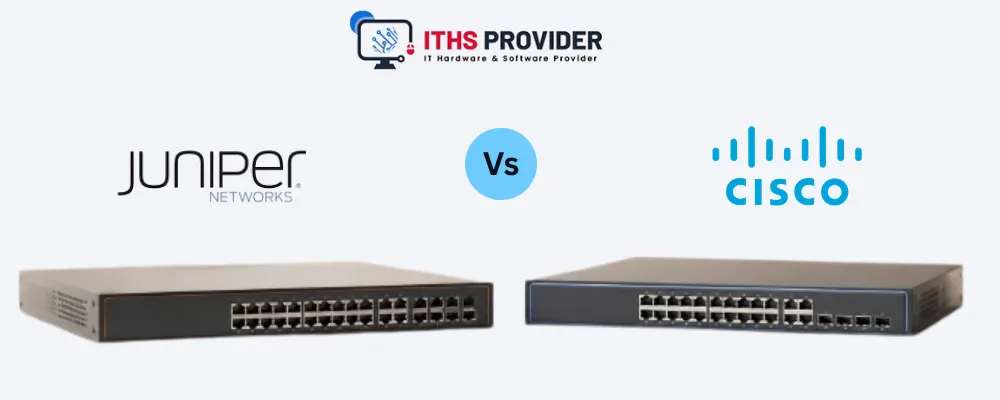
Choosing a router for a growing business is not simply a matter of comparing two well-known brands. The decision affects internet connectivity, branch-office communication, remote access, cloud applications, network security, and the workload of your IT team.
Juniper and Cisco both offer capable routing platforms. Cisco is often a natural fit for companies already using Cisco switches, firewalls, wireless products, or collaboration systems. Juniper can appeal to organizations that want Junos OS, consistent configuration methods, and strong automation options.
The better choice depends on how your business operates today and how you expect its network to develop. This guide from ITHS Provider compares both brands to help you decide.
Table of Contents
Juniper vs. Cisco: Which Is Better for a Growing Business?
There is no universal winner in a Juniper vs. Cisco comparison. Both manufacturers offer routers for branch offices, enterprise networks, data centers, service providers, and secure WAN environments.
Cisco may make more sense when your IT team already knows Cisco IOS, your current network uses Cisco equipment, or your support partner specializes in Cisco. Familiarity can reduce training time and make troubleshooting more straightforward.
Juniper may suit organizations that prefer Junos OS, a consistent configuration workflow, and a strong focus on automation. It can also be a practical choice when the business is building a Juniper-based network from the beginning.
Before making a decision, consider the internet connection, VPN requirements, security features, routing protocols, management tools, staff expertise, licensing, support, and expected growth. The best router is the one your team can operate securely and confidently over its intended service life.
What Is the Difference Between Juniper and Cisco Routers?
At a basic level, both brands provide the same core function: directing traffic between different networks. Their routers can connect offices, support VPNs, manage WAN links, and work with switches, firewalls, servers, and cloud services.
The differences appear in the operating system, configuration process, management tools, product range, licensing model, and wider ecosystem.
Cisco routers commonly run Cisco IOS or Cisco IOS XE, depending on the product family. Juniper routers use Junos OS across many of the company’s routing platforms. The available features vary by model and software release, so a brand-level comparison should only be used as a starting point.
For example, a compact branch router and a high-capacity enterprise edge router may have completely different interface options, throughput, security features, and licensing requirements. Compare equivalent models rather than relying on the manufacturer’s name alone.
Juniper Junos vs. Cisco IOS: Which Fits Your IT Team?
The operating system has a direct effect on daily administration. It influences how engineers configure devices, apply changes, investigate faults, automate tasks, and train new staff.
Cisco IOS and Cisco IOS XE are widely used in business networks. Many network professionals have worked with Cisco commands, certifications, documentation, and support tools. That existing knowledge can be useful for a company that already operates Cisco routers or switches.
Junos OS follows a configuration approach that allows administrators to prepare and review changes before committing them to the active configuration. This can provide a controlled workflow for teams that value structured change management.
Neither platform is automatically easier for every organization. The practical question is which one fits your team’s experience and working methods.
Ask yourself:
- Which operating system does your team already support?
- Does your managed service provider have stronger Juniper or Cisco expertise?
- Will your existing monitoring tools work with the new platform?
- How will configuration changes be reviewed and approved?
- What training will new administrators require?
- Can settings be standardized across offices?
A familiar platform can reduce deployment time, support costs, and avoidable configuration errors.
Router Performance and Layer 3 Routing
The required performance depends on what the router will handle. Basic internet access requires less capacity than a network carrying encrypted VPN traffic, voice calls, video meetings, cloud applications, and security services.
When comparing models, examine:
- WAN and LAN interface speeds
- Routing throughput
- VPN throughput
- Packet-processing capacity
- Maximum concurrent sessions
- Route capacity
- Memory and storage
- Quality of Service features
- High-availability support
- Expansion options
Layer 3 routing becomes important when the router must communicate between VLANs, branch offices, data centers, or cloud networks.
Both manufacturers offer platforms that support common routing protocols, but the available features depend on the specific model, software, and license. For model-specific information, consult the official Cisco router product information and Juniper routing product information.
Network Security: Juniper vs. Cisco
A business router often sits at the boundary between internal systems, branch locations, remote users, cloud applications, and the public internet. Its security capabilities should therefore be assessed as part of the wider network design.
Depending on the platform, you may need support for:
- Stateful firewall policies
- Access controls
- IPsec VPNs
- Secure remote administration
- Intrusion prevention
- Malware protection
- Network segmentation
- Identity-based policies
- Logging and reporting
- High availability
Cisco and Juniper both provide security features, but the exact capabilities can depend on the model, software version, license, and subscription.
Cisco equipment may be convenient for organizations already invested in Cisco security and management tools. Juniper may be attractive when the business wants to connect routing with Juniper’s security, switching, wireless, or management platforms.
The important question is not which logo appears on the chassis. It is whether the router fits your identity controls, monitoring system, security processes, and compliance requirements. The NIST Cybersecurity Framework offers useful guidance for organizing security and risk-management practices.
VPN Router Requirements for Growing Businesses
A VPN router securely connects branch offices, remote users, data centers, and cloud environments over shared or public networks.
A small business with one office may need only a few site-to-site or remote-access tunnels. A company with several branches and a distributed workforce may require much greater capacity.
When comparing VPN routers, look at:
- Site-to-site VPN capacity
- Remote-access VPN support
- IPsec compatibility
- Encryption performance
- Number of simultaneous tunnels
- Authentication methods
- Failover support
- Logging and monitoring
- License requirements
Do not rely solely on the advertised internet speed. Encryption and security processing can reduce the throughput available for VPN traffic.
Network Automation and Centralized Management
Manual configuration becomes harder to control as a business adds locations. Network automation can help apply consistent settings, reduce repetitive work, and limit configuration errors.
Useful capabilities may include device onboarding, configuration templates, centralized policies, software updates, compliance checks, backups, application visibility, API access, role-based administration, and reporting.
Both Juniper and Cisco offer automation and management tools, though the available options depend on the product family and licensing arrangement.
A single-office business may prefer a simple management process. An organization opening several branches may gain more value from centralized network management, repeatable deployments, and remote troubleshooting.
BGP Routing, OSPF Routing, and Other Protocols
Routing protocols determine how routers learn paths and choose where to send traffic.
OSPF routing is commonly used inside an organization’s network. BGP routing is more common in larger enterprise, data-center, service-provider, and multihomed environments.
When reviewing routing support, check for:
- OSPF
- BGP
- Static routes
- Route filtering
- Policy-based routing
- Route summarization
- IPv4 and IPv6
- Route redistribution
- Maximum route capacity
Not every business needs BGP. A small branch may require only static routes or a simpler dynamic-routing design. A business with several internet providers, data centers, or complex WAN paths may need BGP.
Select a platform that supports the required design without creating unnecessary complexity for the team responsible for it.
Router Management and Support
Router management includes configuration, monitoring, backups, software updates, access control, and troubleshooting.
Decide who will handle these responsibilities:
- Internal IT staff
- A managed service provider
- A network consultant
- A combination of internal and external resources
Cisco may be easier to support when the business already has Cisco-trained staff or works with a Cisco-focused provider. Juniper can be a strong choice when the team has Junos experience or prefers Juniper’s operating model.
Router support should cover more than technical assistance. Check whether the agreement includes software access, security updates, hardware replacement, advance replacement, documentation, and escalation services.
Router Redundancy and High Availability
Router redundancy reduces the risk of an outage caused by hardware failure, power loss, or a failed WAN circuit.
Depending on the business, this may involve dual routers, multiple internet connections, automatic failover, redundant power supplies, high-availability pairs, backup configurations, and independent network paths.
A small office may accept the risk of a single router. A business that relies on cloud applications, payment systems, voice services, or continuous remote access may need a more resilient design.
Juniper and Cisco both offer platforms that can support high-availability architectures. Confirm the capabilities of the exact model and plan how the design will be monitored and tested.
Business Routers for Branch Offices
A branch office router must provide sufficient performance and security while remaining manageable from the main office or a central platform.
Evaluate its WAN speed, VPN capacity, internet failover, local routing, security policies, remote management, monitoring, power requirements, expansion options, and replacement process.
A branch router should also be straightforward for local staff to operate safely when technical personnel are not permanently present.
For a new branch, compare the full cost of deployment, including hardware, licensing, support, installation, monitoring, and replacement planning.
SD-WAN Router Considerations
An SD-WAN router can help a business manage several WAN connections, apply application-aware policies, and improve visibility across branch networks.
Before choosing an SD-WAN router, check its support for internet and private WAN connections, centralized policies, application identification, automatic path selection, security integration, failover, licensing, subscriptions, and compatibility with existing equipment.
SD-WAN may be worthwhile for a company with multiple branches, cloud applications, or several internet providers. It may add unnecessary cost and complexity to a single office with a simple WAN.
Licensing and Total Cost of Ownership
The hardware price does not represent the complete cost of a router. Licensing, support, subscriptions, installation, training, and renewals can significantly affect the total cost of ownership.
Find out whether the selected model requires separate payment for advanced routing, VPN features, security services, cloud management, analytics, software updates, technical support, or threat protection.
Cisco and Juniper use different licensing structures across their product families. Request a quotation that separates hardware, software, licenses, subscriptions, support, installation, training, accessories, and renewal fees.
A router with a lower purchase price may become more expensive over time if essential features require recurring subscriptions.
New vs. Refurbished Cisco and Juniper Routers
New routers are usually the safer choice for critical deployments, long-term projects, security-sensitive environments, and businesses that need current manufacturer support.
Refurbished Cisco routers and refurbished Juniper routers may be suitable for laboratories, training environments, temporary sites, compatible replacements, or noncritical branches.
Before purchasing refurbished equipment, verify the exact model, interfaces, memory, power supplies, firmware access, license transferability, product lifecycle, warranty, return policy, and availability of spare parts.
A software license, support contract, or cloud-management entitlement should never be assumed to transfer with a refurbished unit. Confirm the terms with the supplier or manufacturer.
For lifecycle information, review Cisco’s end-of-life policy and the Juniper support portal.
Juniper vs. Cisco Comparison Table
|
|
|
|
|
|
|
|
|
|
|
|
|
|
|
|
|
|
|
|
|
|
|
|
|
|
|
|
|
|
|
|
|
|
|
|
|
|
|
|
|
|
|
|
This table is a general guide. Exact models, software releases, licenses, and support agreements must be compared before purchase.
Which Is Better for a Small Business?
The best router for a small business is the one that matches its internet speed, VPN requirements, security needs, support model, and growth plans.
Cisco can be a practical option when the company already uses Cisco switches, firewalls, wireless products, or collaboration systems. Existing knowledge can make deployment and troubleshooting easier.
Juniper may suit a business that values Junos OS, centralized control, automation, or a consistent Juniper environment.
Employee count alone should not determine the decision. Internet capacity, remote access, cloud applications, branch locations, security requirements, and technical support are often more important.
Which Is Better for Multiple Branch Offices?
Both brands can support networks with multiple branches. Compare their approaches to centralized network management, provisioning, VPN deployment, monitoring, configuration templates, software updates, and hardware replacement.
If your business already has a preferred platform, staying within that ecosystem may reduce training and operational complexity. If you are selecting a new platform, test it at one location before standardizing across all offices.
How Should a Business Choose Between Juniper and Cisco?
Start by documenting the required internet speed, WAN interfaces, VPN capacity, routing protocols, security services, user count, number of locations, and expected growth.
Then decide how the network will be managed. Identify whether responsibility will sit with internal staff, a managed service provider, or both.
Next, calculate the complete cost, including hardware, licensing, subscriptions, support, installation, training, replacement equipment, and renewals.
Finally, run a pilot in a realistic environment. A small trial can reveal configuration, monitoring, compatibility, and support issues that may not appear in a specification sheet.
Internal Resources from ITHS Provider
You can review network routers from ITHS Provider when comparing available models, interfaces, specifications, and condition options.
A router is one part of a complete network. The network switches section can help when planning the LAN that connects users, servers, wireless access points, phones, and other devices.
For perimeter protection, review the available firewalls and check compatibility with the selected router and WAN design.
Final Recommendation
Juniper and Cisco both offer capable router platforms for growing businesses. The right choice depends on your requirements, existing equipment, staff expertise, management tools, security architecture, licensing, and support plan.
Cisco may be the better fit when ecosystem familiarity, Cisco-trained staff, broad partner availability, or integration with existing Cisco equipment is important.
Juniper may be the better fit when Junos OS, automation, configuration consistency, or Juniper platform integration aligns more closely with the way your organization works.
Do not compare only the hardware price. Consider performance, network security, VPN capacity, routing protocols, management, automation, support, product lifecycle, redundancy, licensing, and growth.
A good router decision is not simply about selecting a manufacturer. It is about choosing a platform your organization can manage securely and confidently throughout the deployment.
Support & Guidance
Frequently Asked Questions
Straight answers on choosing between Juniper and Cisco routers for your business network.
01 Which is better, Juniper or Cisco? ⌄
Neither manufacturer is universally better. Cisco may suit organizations that value broad ecosystem familiarity, while Juniper may suit teams that prefer Junos OS, automation, and configuration consistency.
02 Are Juniper routers more reliable than Cisco routers? ⌄
Reliability depends on the exact model, software, configuration, support process, power protection, monitoring, and network design. The brand alone does not determine reliability.
03 Are Cisco routers easier to manage than Juniper routers? ⌄
Cisco may be easier for teams familiar with Cisco IOS and its management tools. Juniper may be easier for teams experienced with Junos OS. Existing expertise should be part of the decision.
04 What is the best router for a small business? ⌄
The best router is the one that matches the company’s internet speed, VPN needs, network security requirements, support model, and expected growth. Compare the full ownership cost rather than hardware price alone.
05 Are Juniper and Cisco routers compatible? ⌄
They can often operate together through standard interfaces and routing protocols. Configuration, monitoring, licensing, and feature compatibility should be tested before deployment.
06 Do Juniper and Cisco routers support VPNs? ⌄
Many platforms from both manufacturers support VPN functions, but the available capabilities vary by model, software, and license. Check the exact product documentation.
07 Which brand is better for branch offices? ⌄
Both can support branch offices. Compare VPN deployment, centralized network management, monitoring, failover, licensing, support, and replacement processes.
08 What is the difference between Juniper Junos and Cisco IOS? ⌄
Junos OS is Juniper’s network operating system, while Cisco IOS and Cisco IOS XE are Cisco operating systems used across different product families. They differ in commands, configuration workflows, tools, and platform capabilities.
09 Do Juniper and Cisco routers support BGP routing? ⌄
Many enterprise and service-provider platforms support BGP routing, but availability depends on the exact model, software release, and license.
10 Should a business buy new or refurbished routers? ⌄
New routers are generally preferable for critical, long-term, or security-sensitive deployments. Refurbished routers may suit laboratories, temporary sites, compatible replacements, and noncritical branches when condition, licensing, lifecycle, support, and warranty are verified.
11 How do licensing costs affect the decision? ⌄
Licensing can affect routing, VPN, security, cloud management, analytics, software access, and support. Request a complete quotation that includes renewal and subscription costs.
12 What should I compare before buying a Juniper or Cisco router? ⌄
Compare interfaces, throughput, VPN performance, routing protocols, network security, management, automation, licensing, support, product lifecycle, redundancy, and compatibility with the existing network.
Need Help Choosing the Right Router?Tell us about your internet connection, VPN requirements, branch locations, and budget. Our team can help you compare Cisco and Juniper routers and find the right solution for your business network. |
-160x160.webp)
Leave a Reply
Your email address cannot be published. Required fields are marked*


Information
Customer Service
My Account
©2026 ITHS Provider (A Project of Mehta Corp.) - All Rights Reserved.

No comments